
New releases
Explore what's new at Shapes. We ship fast— new features, integrations, and updates landing all the time. This is where you keep up.
Covver integration
Connect Covver and Shapes syncs your employees into your gifting collections, with per-collection targeting and automatic add and remove as people join or leave. Set it up from the Integrations marketplace.
Compensation app is now live

Run your whole compensation cycle in Shapes. Build and manage cycles, set a budget and allocate it by department, job, office or level, then guide every raise through a structured approval flow. Import market benchmarks to see where each person stands, and publish so employees see updated pay right away.
Sign documents without an account
eSign now emails each signer a magic link — open a page, sign, done, no login. You can also add checkbox and free-text fields, and preview a sample PDF before sending.
Automations can now send webhooks
Your automations can now reach past the inbox. When a field changes, an automation can fire a webhook to any external system you point it at.
Custom home screen background
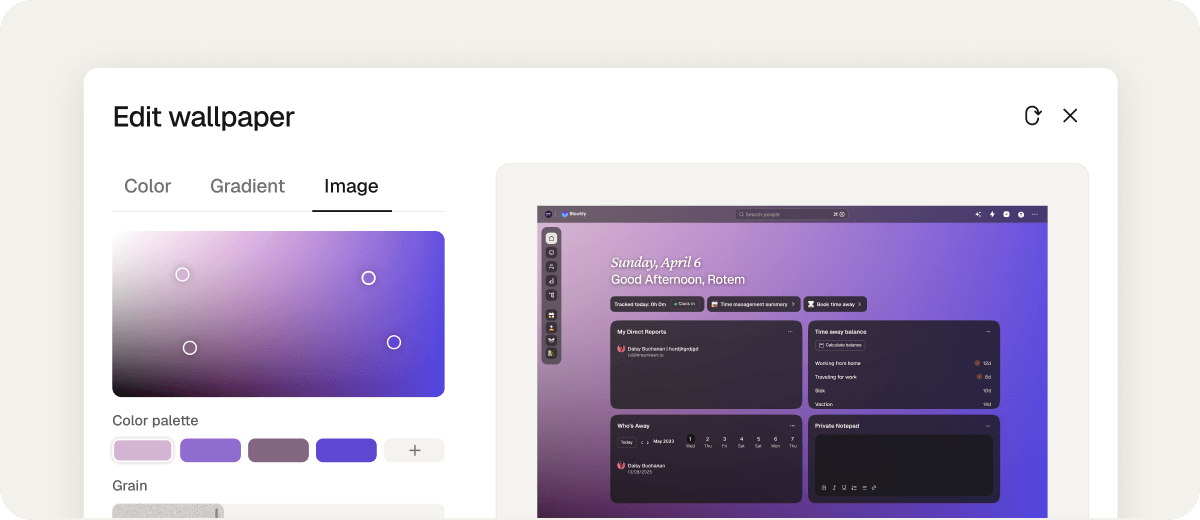
Shapes now looks like your brand the moment your team logs in. A super admin can set the home background for everyone — a solid colour, a gradient you build, or image you upload. Your workspace, your look.